

Top seller

EUROLITE DMX Split 2 Splitter 3/5-pin
€44.90
*
incl. tax,
plus shipping costs
Availability:
Delivery time: 3-5 days
Delivery time: 3-5 days

SHOWTEC DMX Merge 2-way DMX Merger
€129.00
*
Availability:
Currently not available
Currently not available

FUTURELIGHT WDS-CRMX TX Wireless DMX Transceiver
€249.00
*
Availability:
Currently not available
Currently not available

Swisson RDM Controller XMT-500, set incl. nylon bag + 2 x XLR adapters
€829.00
*
 Express delivery possible
Availability:
Low stock; Delivery time: 1-3 days
Delivery time: 1-3 days

EUROLITE DMX Split 8X Splitter 3pin
€99.00
*
Availability:
Delivery time: 3-5 days
Delivery time: 3-5 days

Swisson XSW-TR-5B (box) CRMX splitter
€890.12
*
Availability:
Near-term available
Delivery time: approx. 1 week
Delivery time: approx. 1 week
Delivery time: approx. 1 week

EUROLITE DMX Split 4 Mini Splitter 3pol
€109.00
*
Availability:
Delivery time: 3-5 days
Delivery time: 3-5 days
127
Articles
No results were found for the filter!

EUROLITE DMX Split 4 Splitter
EUROLITE DMX Split 4 Splitter
Splitter with 4 galvanically isolated outputs, 3-pin & 5-pin XLR sockets DMX splitter for splitting one DMX input signal to 4 DMX outputs • Input and outputs galvanically isolated...
€89.00
*
Availability:
Delivery time: 3-5 days
Delivery time: 3-5 days

EUROLITE Split 6X DMX Splitter
EUROLITE Split 6X DMX Splitter
One DMX-line is partitioned into six lines with this splitter. Due to the fact, that all outputs are seperated galvanically, one broken line will not cause a blackout. When a lighting performance...
€146.73
*
Availability:
Delivery time: 3-5 days
Delivery time: 3-5 days

SHOWTEC RDM Touch DMX/RDM + Art-Net + Midi
SHOWTEC RDM Touch DMX/RDM + Art-Net + Midi
TFT Touch display • Art-Net • RDM • Multiple testing functions • The Showtec RDM Touch is the most ultimate tool for every lighting technician. With its versatile functions and...
€445.00
*
Availability:
Delivery time: 3-5 days
Delivery time: 3-5 days

EUROLITE USB-DMX512 Interface/Update Adaptor
EUROLITE USB-DMX512 Interface/Update Adaptor
USB DMX interface without software for use with lighting control programs Extremely compact USB DMX interface for beginners • For controlling DMX devices with a computer (software not...
€54.89
*
incl. tax,
plus shipping costs
Availability:
Delivery time: 3-5 days
Delivery time: 3-5 days

SHOWTEC Multi Exchanger DMX512 to 72-channel ANALOGUE output
SHOWTEC Multi Exchanger DMX512 to 72-channel ANALOGUE output
Converts DMX back into 0 - 10 V • Converts MIDI back into 0 - 10 V • Midi in and output • 3 and 5-pin XLR • Last Hold Scene • Convert the signal from DMX512 to 72-Ch...
€199.00
*
Availability:
Delivery time: 3-5 days
Delivery time: 3-5 days

Cameo SB 6 DUAL - 6-Channel DMX Splitter / Booster (3 Pin and 5 Pin)
Cameo SB 6 DUAL - 6-Channel DMX Splitter / Booster (3 Pin and 5 Pin)
6-Channel DMX Splitter / Booster (3 Pin and 5 Pin) Professional 6-way DMX splitter / booster • Chassis 1U 19" rack-mount enclosure • 6 electrically isolated XLR (3-pin / 5-pin)...
€189.07
*
Availability:
Near-term available
Delivery time: approx. 1 week
Delivery time: approx. 1 week
Delivery time: approx. 1 week

Cameo SB8.3 - 8-channel DMX splitter / booster (3-pin)
Cameo SB8.3 - 8-channel DMX splitter / booster (3-pin)
8-channel DMX splitter / booster (3-pin) Professional 8-way DMX splitter / booster • Chassis 1U 19" rack-mount enclosure • DMX INPUT: 1 x XLR (3-pin) front panel, 1 x XLR (3-pin)...
€189.07
*
Availability:
Near-term available
Delivery time: approx. 1 week
Delivery time: approx. 1 week
Delivery time: approx. 1 week

SHOWTEC Booster Pro 2-8 DMX / RDM booster - 3-pin XLR
SHOWTEC Booster Pro 2-8 DMX / RDM booster - 3-pin XLR
OLED Display • Isolated outputs • 2 inputs, selectable outputs • Multiple monitoring functions • The Booster Pro is the ultimate DMX tool which should be in the equipment rack...
€375.00
*
Availability:
Delivery time: 3-5 days
Delivery time: 3-5 days

Swisson XSP-5R-5R, DMX splitter
Swisson XSP-5R-5R, DMX splitter
Features High reliability • Reinforces DMX • Regenerates DMX • Reduces reflection problems • Distributes DMX • Optically isolated • 5-pin and 3-pin XLR models...
€789.00
*
Availability:
Near-term available
Delivery time: approx. 1 week
Delivery time: approx. 1 week
Delivery time: approx. 1 week

SHOWTEC DB-1-8 8-Channel DMX booster 3-pin XLR
SHOWTEC DB-1-8 8-Channel DMX booster 3-pin XLR
DMX splitter for 8 outputs • Electrical isolation between in and output • DMX Indication LEDs on in-& outputs • 3P XLR outputs • M10 nut at backside for truss clamps...
€106.00
*
Availability:
Delivery time: 3-5 days
Delivery time: 3-5 days

SHOWTEC DB-1-4 4-Channel DMX booster 3-pin & 5-pin XLR
SHOWTEC DB-1-4 4-Channel DMX booster 3-pin & 5-pin XLR
DMX splitter for 4 outputs • Electrical isolation between in and output • DMX Indication LEDs on in-& outputs • 3 & 5P XLR in- & outputs • M10 nut at backside for...
€119.00
*
Availability:
Delivery time: 3-5 days
Delivery time: 3-5 days

FUTURELIGHT ULB-2 USB Upload Box
FUTURELIGHT ULB-2 USB Upload Box
Upload box for upgrade of fixture software files via the serial data line (DMX interface) Power supply: 5V DC 500 mA • Power connection: Mains input via USB C (W) mounting version power supply...
€105.00
*
€75.00
*
Availability:
Low stock; Delivery time: 1-3 days
Delivery time: 1-3 days
EUROLITE DMX Split 2 Splitter 3/5-pin
EUROLITE DMX Split 2 Splitter 3/5-pin
2-way DMX splitter Compact splitter with 3- and 5-pin XLR terminals • Rugged metal housing • Package contents 1 x device, 1 x user manual • Power supply: 100-240 V AC, 50/60 Hz...
€44.90
*
incl. tax,
plus shipping costs
Availability:
Delivery time: 3-5 days
Delivery time: 3-5 days

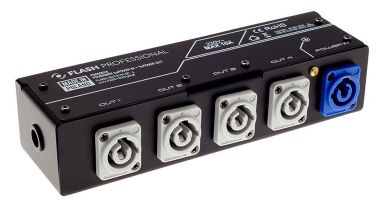
EUROLITE DMX Power Splitter 2x2
EUROLITE DMX Power Splitter 2x2
2-fold power and DMX splitter for truss mounting Reliable power and DMX distributor • 1 P-Con input to 2 outputs, max. 10 A • 1 DMX input to 2 outputs • Input and outputs...
€81.24
*
Availability:
Delivery time: 3-5 days
Delivery time: 3-5 days

SHOWTEC DB-1-4/RDM 4-Channel DMX booster with RDM 3-pin & 5-pin XLR
SHOWTEC DB-1-4/RDM 4-Channel DMX booster with RDM 3-pin & 5-pin XLR
DMX/RDM splitter for 4 outputs • DMX Indication LEDs on in-& outputs • 3 & 5P XLR outputs • Supports Remote Device Management (RDM) Protocol • The DB models from Showtec...
€139.00
*
Availability:
Delivery time: 3-5 days
Delivery time: 3-5 days

SHOWTEC DB-1-8/RDM 8-Channel DMX booster with RDM 3-pin XLR
SHOWTEC DB-1-8/RDM 8-Channel DMX booster with RDM 3-pin XLR
DMX/RDM splitter for 8 outputs • DMX Indication LEDs on in-& outputs • 3P XLR outputs • Supports Remote Device Management (RDM) Protocol • The DB models from Showtec are...
€139.00
*
Availability:
Delivery time: 3-5 days
Delivery time: 3-5 days

SHOWTEC RDM Splitter Pro 4-Channel DMX booster with RDM 3-pin & 5-pin XLR
SHOWTEC RDM Splitter Pro 4-Channel DMX booster with RDM 3-pin & 5-pin XLR
Regenerates & Boosts DMX/RDM signal • Optical isolated on each in- and output port • DMX Indication LEDs on in-& outputs • 3 & 5P XLR outputs • The Showtec RDM...
€245.00
*
Availability:
Delivery time: 3-5 days
Delivery time: 3-5 days

SHOWTEC Booster Pro 2-8 DMX / RDM booster - 5-pin XLR
SHOWTEC Booster Pro 2-8 DMX / RDM booster - 5-pin XLR
OLED Display • Isolated outputs • 2 inputs, selectable outputs • Multiple monitoring functions • The Booster Pro is the ultimate DMX tool which should be in the equipment rack...
€375.00
*
Availability:
Delivery time: 3-5 days
Delivery time: 3-5 days

Cameo SB 6 T RDM - 6-Output DMX/RDM Splitter/Booster with 3 and 5-Pin Connectors
Cameo SB 6 T RDM - 6-Output DMX/RDM Splitter/Booster with 3 and 5-Pin Connectors
6-Output DMX/RDM Splitter/Booster with 3 and 5-Pin Connectors Professional 6-output DMX/RDM splitter/booster • 6 optically and electronically isolated 3 and 5-pin XLR outputs • Compact...
€395.47
*
Availability:
Near-term available
Delivery time: approx. 1 week
Delivery time: approx. 1 week
Delivery time: approx. 1 week

Swisson XSP-5B, DMX splitter 5pol. in
Swisson XSP-5B, DMX splitter 5pol. in
Features High reliability • Reinforces DMX • Regenerates DMX • Reduces reflection problems • Distributes DMX • Optically isolated • 5-pin and 3-pin XLR models...
€560.14
*
Availability:
Near-term available
Delivery time: approx. 1 week
Delivery time: approx. 1 week
Delivery time: approx. 1 week

Swisson XSP-5R DMX Splitter, 19
Swisson XSP-5R DMX Splitter, 19
Complete professional splitter program for each application. X- SP splitter program makes installation easy, reduces errors and saves time. A must have for professional daily use. Reliability: The...
€595.00
*
Availability:
Near-term available
Delivery time: approx. 1 week
Delivery time: approx. 1 week
Delivery time: approx. 1 week

X-MG 51 Professioneller "High Speed" 5:1 Merger, DMX
X-MG 51 Professioneller "High Speed" 5:1 Merger, DMX
Luminex The X-MG-51 is latest high-quality DMX device from the Swiss manufacturer Swisson. The X-MG-51 is a merger that allows you to connect up to five lighting desks to a single DMX512 line with...
€1,379.00
*
Availability:
Near-term available
Delivery time: approx. 1 week
Delivery time: approx. 1 week
Delivery time: approx. 1 week

SHOWTEC Quick DMX Rack 1024 1024 Channels
SHOWTEC Quick DMX Rack 1024 1024 Channels
1024-channel output • Internal clock / calendar • 8 external trigger contacts • Including IR remote and external IR sensor • Quick DMX provides the ultimate solution for...
€585.00
*
Availability:
Delivery time: 3-5 days
Delivery time: 3-5 days

SHOWTEC SPI-2 Install DIN rail
SHOWTEC SPI-2 Install DIN rail
Wide range input voltage • 2x 960 pixel outputs • Remote setup interface • Art-Net, sACN and DMX512 control • DIN EN43880 form factor • DIN EN60715 rail system • The...
€195.00
*
Availability:
Delivery time: 3-5 days
Delivery time: 3-5 days